
What changed in Codex 0.165.0
The release notes list two memory items under New Features:
- Memory v2 is the default for fresh profiles.
- Codex can import memories from an external agent into v2.
The pull requests behind them say more than the release notes do. The first one, titled "Default fresh memory profiles to v2", gives the reason: "Profiles without a v1 memory workspace have no legacy context to preserve or consolidate before using v2."
The second explains what was wrong before: "External-agent memory imports previously wrote only to the v1 workspace and queued only v1 consolidation, leaving the v2 pipeline without imported resources."
So until this release, a machine running the v2 pipeline could import memories from another agent, and the imported memories wouldn't reach v2. Version 0.165.0 closes that gap and, at the same time, makes v2 the starting point for machines that have no older memories to carry forward.
What stays the same
Before getting into versions, it helps to separate what the update doesn't change.
Memories are still off by default. The Codex documentation says: "Local Codex memories are off by default." You turn them on in the ChatGPT desktop app under Settings > Personalization with Enable Codex memories, or with a feature flag in config.toml. The version change only matters once memories are on.
Memories are still local. The docs say "local Codex clients use a separate local memory store and controls" and that ChatGPT web uses ChatGPT memory instead. The release notes don't describe any link between the two.
The files are still generated state. OpenAI's guidance hasn't moved: "Treat these files as generated state. You can inspect them when troubleshooting or before sharing your Codex home directory, but don't rely on editing them by hand as your primary control surface."
Per-chat control still works the same way. /memories controls whether the current chat can use existing memories and whether it can contribute to future ones, and "Chat-level choices don't change your global memory settings."
Which memory version your machine uses
The configuration schema that ships with Codex now describes the version setting in one sentence: "Selects the memory pipeline. Fresh profiles default to v2 when memories are enabled, unless dual-write is explicitly disabled; existing v1 profiles default to v1."
The pull request gives the exact test Codex applies: "Select v2 when memories are enabled and the memories directory is absent." It also lists what it leaves alone: "Preserve explicit memories.version settings, the memories.dual_write = false opt-out, and the v1 default for existing workspaces or filesystem check errors."
In plain terms, Codex looks at your Codex home directory when memories are on:
- No
memoriesdirectory yet. Codex treats the profile as fresh and uses v2. - A
memoriesdirectory already exists. Codex keeps you on v1, so the memories it has already built stay in use. - You set a version yourself. Codex respects it.
- Codex can't check the filesystem. It falls back to v1.
What decides it is the directory, not the date you installed Codex. If an install you've had for months has no memories directory because memories were never enabled, the pull request's rule puts it on v2 when you turn memories on.
What dual-write means
The schema describes a second setting, memories.dual_write, as: "Generate both versions while v1 is selected; v2 runs alone after cutover."
That describes a transition. A machine on v1 can build v2 memories alongside, so that when it moves to v2 there is already something there. Setting memories.dual_write to false is one of the choices the default respects, and in that case a fresh profile doesn't move to v2 by default.
Neither memories.version nor memories.dual_write appears in the Codex configuration reference yet. Both come from the schema and the pull request, so treat them as current behavior that may still change.
Where each version keeps its files
The documented location is the v1 store: "The main memory files live under ~/.codex/memories/ and include summaries, durable entries, recent inputs, and supporting evidence from prior chats."
The v2 workspace is a separate directory. The import pull request refers to it by name: "Always import selected resources into memories_v2." If you've moved your Codex home with CODEX_HOME, both directories sit under that location instead of ~/.codex.
One small change affects resets. The pull request says it made "resetting an absent memory workspace a no-op so it does not create an unused v1 directory." Resetting memories on a fresh machine no longer leaves behind an empty memories folder that would make Codex think the profile was on v1.
Where imported Claude Code memories land
Codex's import flow brings setup and recent work from another agent into the ChatGPT desktop app or Codex CLI. The import documentation lists what it can bring over. Instruction files become AGENTS.md, settings become config.toml, and the row for memory reads: Project memories from Claude Code, with Memories as the destination.
The import pull request describes what now happens to those memories:
"Always import selected resources into memories_v2. Also update memories when v1 is selected or a legacy workspace exists."
So:
- On a v2 profile, imported memories go into
memories_v2. - On a v1 profile, they go into both. Codex writes them to
memoriesfor the pipeline you're using now and tomemories_v2for later.
After the import, Codex queues a consolidation pass for each workspace it changed. The pull request says it will "enqueue consolidation separately for each updated namespace", and it adapts the instructions for consolidating imported memories to "the active pipeline's output format." Imported memories are raw material that Codex folds into its own memory format, not files copied across as they were.
A third pull request in the same release stops an import and a consolidation pass from changing the same workspace at once. If a destination is in use, Codex will "Return a retryable busy error if a destination is locked, and skip consolidation when its workspace is busy." If an import reports that it's busy, wait and run it again. The pull request's own test confirms that nothing is half-written when this happens.
What the import doesn't touch
The import documentation says: "Importing doesn't change or delete your existing agent setup." Your Claude Code memory files stay where they are.
The CLI import also has limits worth knowing before you plan around it. "Codex CLI imports up to 50 chats from the last 30 days." And /import "isn't available during a running task, in a remote session, or while connected to a local app-server daemon." In the desktop app, you can turn on automatic updates in Settings > Import to keep imported work in sync with the original agent and review your import history there. For the broader move, our guide to migrating from Claude Code to Codex covers instructions, MCP servers, and skills.
What the documentation doesn't say yet
The release note, the schema, and the pull requests all describe v2. The memories page in Codex's documentation still describes a single store under ~/.codex/memories/.
That leaves a few open points:
- What v2 changes about memory quality. The pull requests describe where v2 files go and when Codex uses it, not how its memories differ in content.
- How a v1 machine moves to v2. The schema mentions a cutover, but neither the release notes nor the docs describe when or how it happens.
- Whether the desktop app shows the version. The Personalization settings described in the docs don't mention it.
Until the documentation catches up, the folders in your Codex home are the most direct sign of what your machine is using. One more pull request in the release adds an experimental way for apps to read a chat's memory summary from "the thread's resolved memory version," with no "falling back to another version". That's a developer interface, but it confirms that the two versions are kept apart rather than merged.
What people try first
Assuming the update turned memories on. It didn't. Memories are still off until you enable them; the update decides which version you get when you do.
Assuming every machine moved to v2. Only profiles without an existing memories directory start on v2. A machine with v1 memories stays on v1 by default.
Editing memory files to fix what Codex remembers. OpenAI asks you to treat them as generated state. With two workspaces, a hand edit in one folder may not be what the active pipeline reads.
Expecting imported memories to appear word for word. They go through consolidation in Codex's own format.
Copying a Codex home to a new computer and expecting the same version. The folders you copy decide it. Our guide to moving Codex to a new computer covers what to bring.
The Fix: Check your version, import on purpose, and keep rules out of memory
Step 1: Look at your Codex home before and after you turn memories on
Open your Codex home, which is ~/.codex unless you've set CODEX_HOME, and note which memory folders exist. A memories folder means a v1 workspace. A memories_v2 folder means v2 files exist, either because you're on v2 or because dual-write or an import created them.
If you're about to enable memories on a machine that has never used them, expect v2. If you want to stay on the documented v1 behavior for now, the pull request's rules mean an explicit memories.version setting is respected, but since that key isn't in the configuration reference yet, check the release notes for your version before relying on it.
Step 2: Review what you're importing before you import it
Claude Code keeps its own auto memory as plain markdown under ~/.claude/projects/<project>/memory/, with a MEMORY.md index. Open the project's folder and read it before you run the import. Anything out of date there becomes material Codex consolidates into its own memories.
Then import only what you need. In the CLI, run /import from a local session and choose Claude Code. In the desktop app, open Settings > Import. If the import says a workspace is busy, run it again after a moment.
If you're bringing over context from the ChatGPT side instead, our guide to migrating ChatGPT memory to Codex explains why that path works differently.
Step 3: Keep rules that must apply in AGENTS.md
The memories documentation is direct about this: "Keep required team guidance in AGENTS.md or checked-in documentation. Treat memories as a helpful recall layer, not as the only source for rules that must always apply."
A version change is a good moment to check that advice. If a convention only exists in Codex memories, or only in Claude Code's auto memory, write it into AGENTS.md or your repository docs, where every session and every version reads it the same way. Our guide to Codex skipping AGENTS.md rules covers how Codex finds those files.
Setting this up in MemoryLake
Codex now has two local memory workspaces, and Claude Code has its own memory folder per project. Each is generated by its tool, on one machine, in that tool's format. The decisions you want every agent to start from need a place that doesn't depend on which pipeline a machine happens to be on.
MemoryLake is a memory layer for keeping that kind of context in one list you maintain, available to Codex and the other assistants you connect, such as Claude Code and ChatGPT.
You write the entries yourself, in your own words. Nothing is read out of, written to, or deleted from ~/.codex/memories/, memories_v2, Claude Code's auto memory, your imported setup, or any vendor's store. Codex's own memories keep working the way OpenAI describes them.
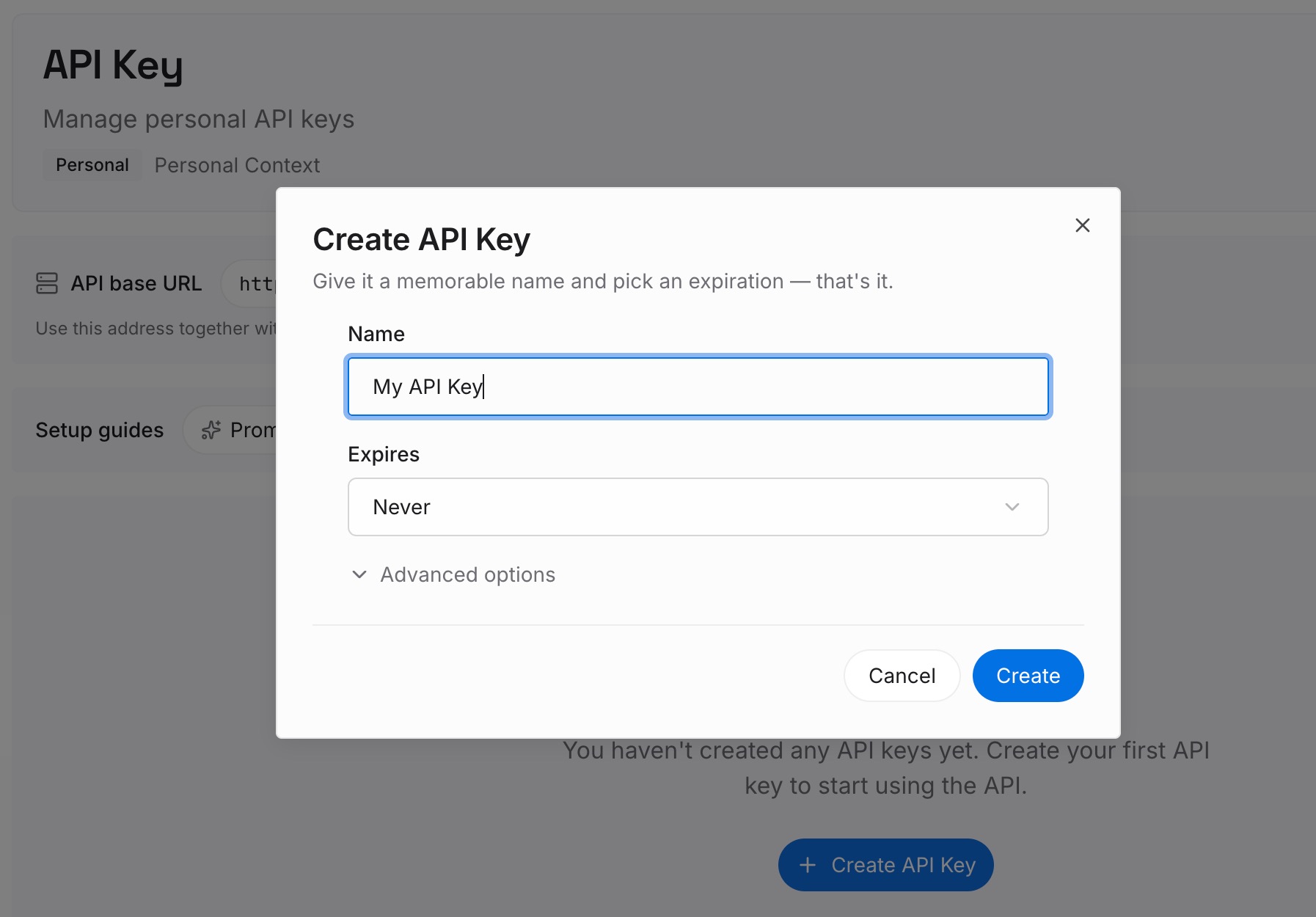
Step 1: Create an API key
Sign in and generate a key from the dashboard. The key belongs to your MemoryLake workspace and is separate from your ChatGPT account and your Codex configuration.
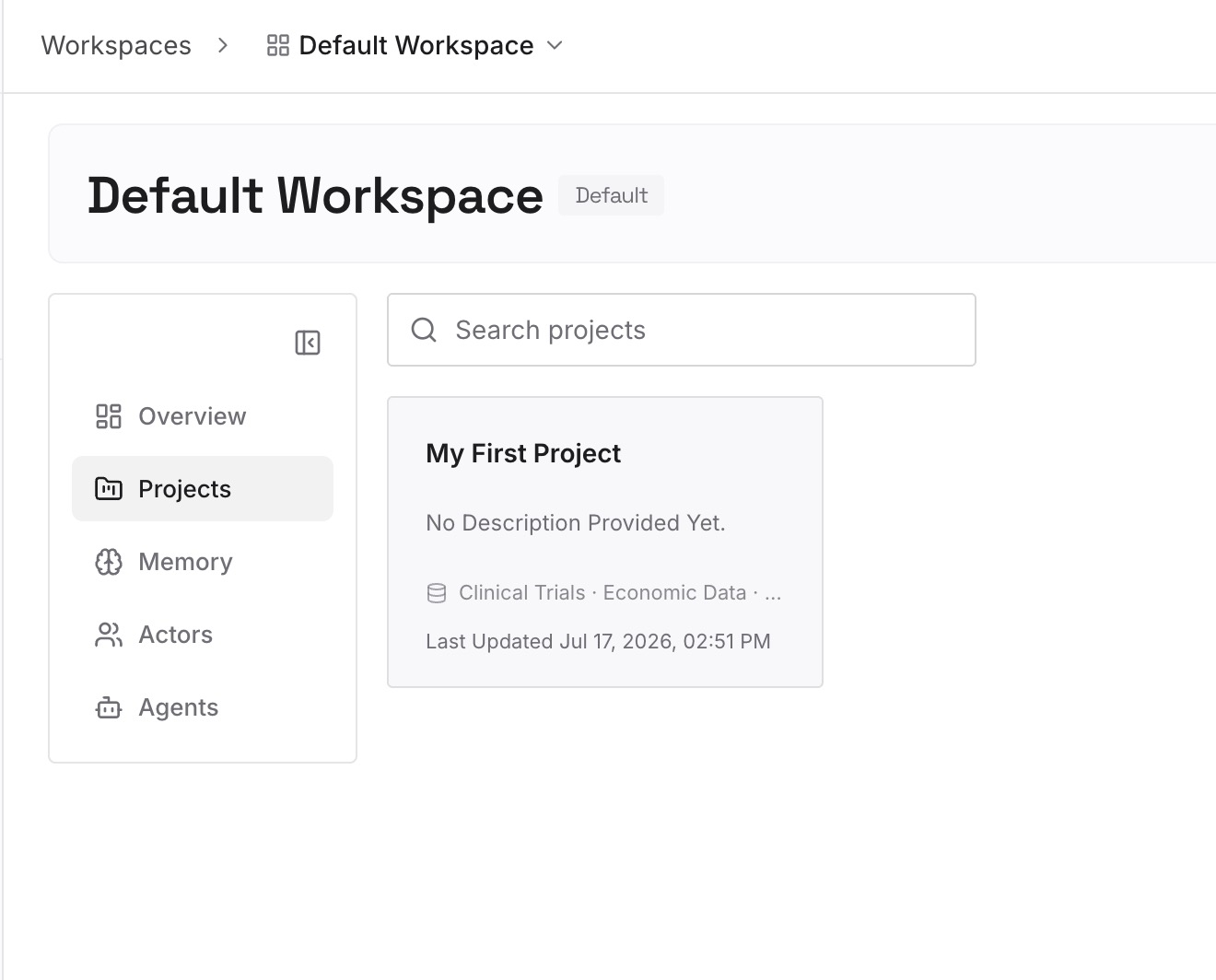
Step 2: Upload your first memories
Start with what you checked in Step 2 of the fix: the conventions, decisions, and known pitfalls that were worth keeping from Claude Code's memory. One point per entry, dated, and labeled with the repository it applies to.
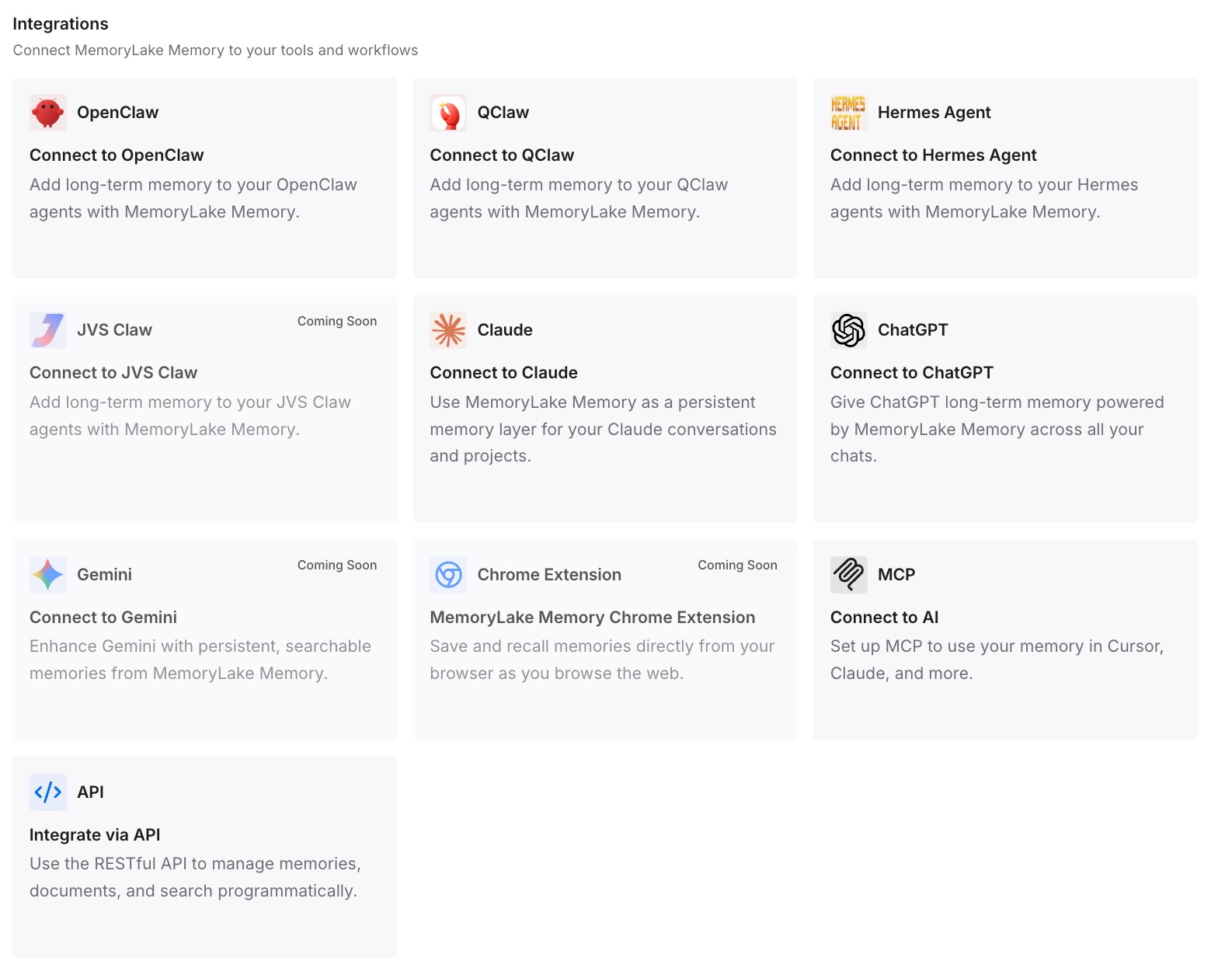
Step 3: Connect your AI & agents
Connect Codex and the other assistants you use. The context you rely on stays the same when a machine changes memory version or you switch tools.
What this changes in practice
The first difference is that you know which store you're looking at. A memories folder and a memories_v2 folder are not the same thing, and the update decides between them by what's already on disk.
The second is that imports stop being a mystery. On v1 they go into both workspaces, on v2 into one, and either way Codex rewrites them in its own format.
The third is that the rules you depend on don't move with the version. They're in AGENTS.md and your docs, where Codex reads them regardless of the memory pipeline. If you're looking for a chat rather than a memory, our guide to finding missing Codex chat history covers where those live.
Best practices for Codex memories after 0.165.0
Check your Codex home for memories and memories_v2. The folders tell you what's there.
Don't assume v2 on an existing machine. A v1 workspace keeps you on v1 by default.
Read Claude Code's memory files before importing them. Out-of-date notes become out-of-date memories.
Re-run an import that reports a busy workspace. It's built to be retried.
Leave the generated files alone. Use /memories, the Personalization settings, or a reset instead.
Put required rules in AGENTS.md. Memories are a recall layer.
Watch the release notes. The documentation doesn't describe v2 yet, so release notes are where changes appear first.
Conclusion
Codex 0.165.0 makes memory v2 the default for profiles that don't already have a v1 memory workspace, and it sends memories imported from Claude Code into v2. Machines that already have v1 memories stay on v1 by default, and imports there are written to both workspaces. Memories are still off by default, still local, and still generated files you shouldn't edit by hand.
Check which folders your Codex home contains, review Claude Code's memory before you import it, and keep the rules that must always apply in AGENTS.md.