
What agent view is
Anthropic's documentation describes it this way: "Agent view, opened with claude agents, is one screen for all your background sessions: what's running, what needs your input, and what's done."
Each row is a separate session. "Each background session is a full Claude Code conversation that keeps running without a terminal attached, so you can open it, reply, and leave whenever you want."
You work with rows in three ways:
- Dispatch. Type a prompt at the bottom and press Enter. "Every prompt you enter here starts its own new session."
- Peek. Press Space on a row to see its latest status, its result, or the question it's waiting on, and reply without leaving the list.
- Attach. Press Enter or the right arrow to open the full conversation, and the left arrow on an empty prompt to go back.
You can also bring an open session into agent view with /bg or the left arrow, and copy one into a new background session with /fork.
Agent view runs sessions on your machine. The documentation points to Claude Code's Projects for parallel sessions that Claude starts and tracks in the cloud.
What each background session starts with
A dispatched session is a new conversation. It doesn't inherit what other rows have discussed.
What it does get is your project's standing context, the same as any Claude Code session started in that place:
- Its directory. "A new session runs in the directory you opened agent view from." You can target another one by opening agent view there, mentioning a child repository with
@<repo>, or runningclaude --bgfrom that directory. - Your instruction files. Claude Code loads CLAUDE.md files from the working directory and the directories above it, and rules in
.claude/rules/without apathsfield, at the start of a session. Path-scoped rules load when Claude works with a matching file. - Auto memory for the repository. Claude Code's memory documentation says "All worktrees and subdirectories within the same git repository share one auto memory directory." Background sessions in the same repository read from the same place.
- The model and settings you set in agent view.
/model,/effort, and/fastin agent view set what the sessions you dispatch next start with, and configuration flags you pass toclaude agentsare passed through to dispatched sessions.
One exception to the memory point is worth knowing. The memory documentation says the /memory toggle turns auto memory off but doesn't turn it back on in a background session. If auto memory is off there, you turn it back on from a session you start directly in your terminal.
What background sessions share, and what they don't
Background sessions share files, not conversations.
They share what's on disk. CLAUDE.md files, rules, and the auto memory directory are the same for every session in a repository. If one session saves a note to auto memory, it's in the shared directory that other sessions in that repository use. Our guide to sharing context between Claude Code sessions covers the other ways to pass context along.
They don't share their conversations. Each row is its own conversation. What you told one session in a reply, and what it worked out, stays in that session unless it writes it somewhere.
A fork starts with a copy, then goes its own way. /fork copies the current conversation into a new background session, along with the model, permission mode, effort level, and permission grants you added. After that, "the two conversations are independent: nothing the copy does enters the original conversation on its own". The documentation notes one exception: where cross-session messaging is enabled, either session's Claude can explicitly message the other. Our guide to forking a remote session from the Claude app covers the same pattern in the cloud.
What carries over when you background a session. Moving a session you already have open into the background keeps its conversation. Running background commands, backgrounded subagents, and /loop tasks carry over; a running monitor stops, and Claude Code asks first.
Where each session's edits go
This is the part that keeps parallel sessions from colliding. The documentation explains: "Before editing files, Claude moves the session into an isolated git worktree under .claude/worktrees/, so parallel sessions can read the same checkout but each writes to its own."
So a dispatched session starts by reading your working directory, then moves to its own worktree before it changes anything. Subagents it spawns inherit its working directory, so their edits land in that worktree too.
What a fresh worktree contains
Claude Code's worktree documentation describes the defaults for the worktrees it creates: it "branches them from your repository's default branch, and checks out only tracked files." It adds: "A worktree is a fresh checkout, so initialize your development environment there".
For context, that matters in two ways:
- Uncommitted changes to instruction files aren't there. If you edited CLAUDE.md or a rule and haven't committed it, a worktree checked out from the default branch has the committed version.
- Gitignored files aren't there either. That includes local files such as
.env. The worktree documentation describes a.worktreeincludefile for carrying gitignored files into new worktrees.
You can change the starting point with the worktree.baseRef setting. Its default, "fresh", branches from the remote's default branch; "head" branches from your current local HEAD. Our guide to whether Claude Code worktrees share memory covers what a worktree session loads in detail.
When Claude skips the worktree
The documentation lists cases where a session edits in place instead, including a session you moved to the background from your open terminal, a session that's already inside a linked worktree, and a directory that isn't a git repository and has no worktree hook. You can also turn isolation off for a repository by setting worktree.bgIsolation to "none".
How the work is saved
When a background session has changed code in its own worktree, Claude Code tells Claude to preserve the work before finishing: commit and push the branch when there's a remote, and open a draft pull request when the task calls for it. Those instructions rule out pushing to main or master, force-pushing, and merging. And "if the task, CLAUDE.md, or memory says you handle committing or pushing yourself, Claude leaves git to you."
Each session ends with a report of what it did and where the work is.
What deleting a row removes
Deleting a session from agent view takes it off the list, but "Its transcript stays on your machine through claude --resume". A worktree Claude created for it is another matter: agent view removes it, "including uncommitted changes, so commit what you want to keep first." Claude Code refuses the delete when a worktree has commits it can't confirm are saved elsewhere, and tells you how to proceed.
You can bring a deleted session back as a background row with /resume in agent view, which lists the repository's past sessions, including ones you deleted. Our guide to finding and deleting Claude Code session history covers the transcripts themselves.
What people try first
Expecting rows to know about each other. Each is its own conversation. They share files on disk, not what was said.
Telling one session a decision and expecting the others to follow it. The decision stays in that conversation unless it's written to CLAUDE.md, a rule, or memory.
Editing CLAUDE.md and dispatching straight away. A worktree from the default branch has the committed version, not your edit.
Deleting a row before committing. Agent view removes the worktree it created, uncommitted changes included.
Assuming sessions keep running when the computer is off. The documentation lists this as a limitation: sessions are local and stop if the machine shuts down. They're preserved across sleep.
The Fix: Put shared context on disk, commit it, and make each session report back
Step 1: Write the context every session needs where every session reads it
Conventions and constraints that apply to all parallel work belong in the project-root CLAUDE.md or an unscoped rule in .claude/rules/. A decision you'd otherwise repeat to each row belongs there too. If you'd rather Claude remember it, ask it to save the point to auto memory, which every session in the repository shares.
Step 2: Commit instruction changes before you dispatch
Because worktrees start from the default branch by default, commit and push changes to CLAUDE.md and rules before dispatching sessions that depend on them. If your sessions need your in-progress branch instead, set worktree.baseRef to "head", and add a .worktreeinclude for local files the work needs.
Step 3: Ask each session to report what it learned
Include in the prompt what the session should leave behind: the branch, a short summary of what it found, and any decision that other sessions need. Read the reports when rows complete, and move anything the other sessions should know into CLAUDE.md or memory. Commit before you delete a row.
If you also run scheduled work, our guide to whether Claude Code routines carry anything from one run to the next covers the same question for runs that start on their own.
Setting this up in MemoryLake
Agent view makes it easy to run many sessions, and each one learns something you might want the others to know. Inside a repository, CLAUDE.md, rules, and auto memory carry that on your machine. When the same decisions matter on another computer or in another tool, they need a home that isn't tied to one checkout.
MemoryLake is a memory layer for keeping that kind of context in one list you maintain, available to Claude Code and the other assistants you connect, such as Codex and ChatGPT.
You write the entries yourself, in your own words. Nothing is read out of, written to, or deleted from your background sessions, their worktrees, your CLAUDE.md files, your auto memory, or any vendor's store. Agent view keeps working the way Anthropic describes it.
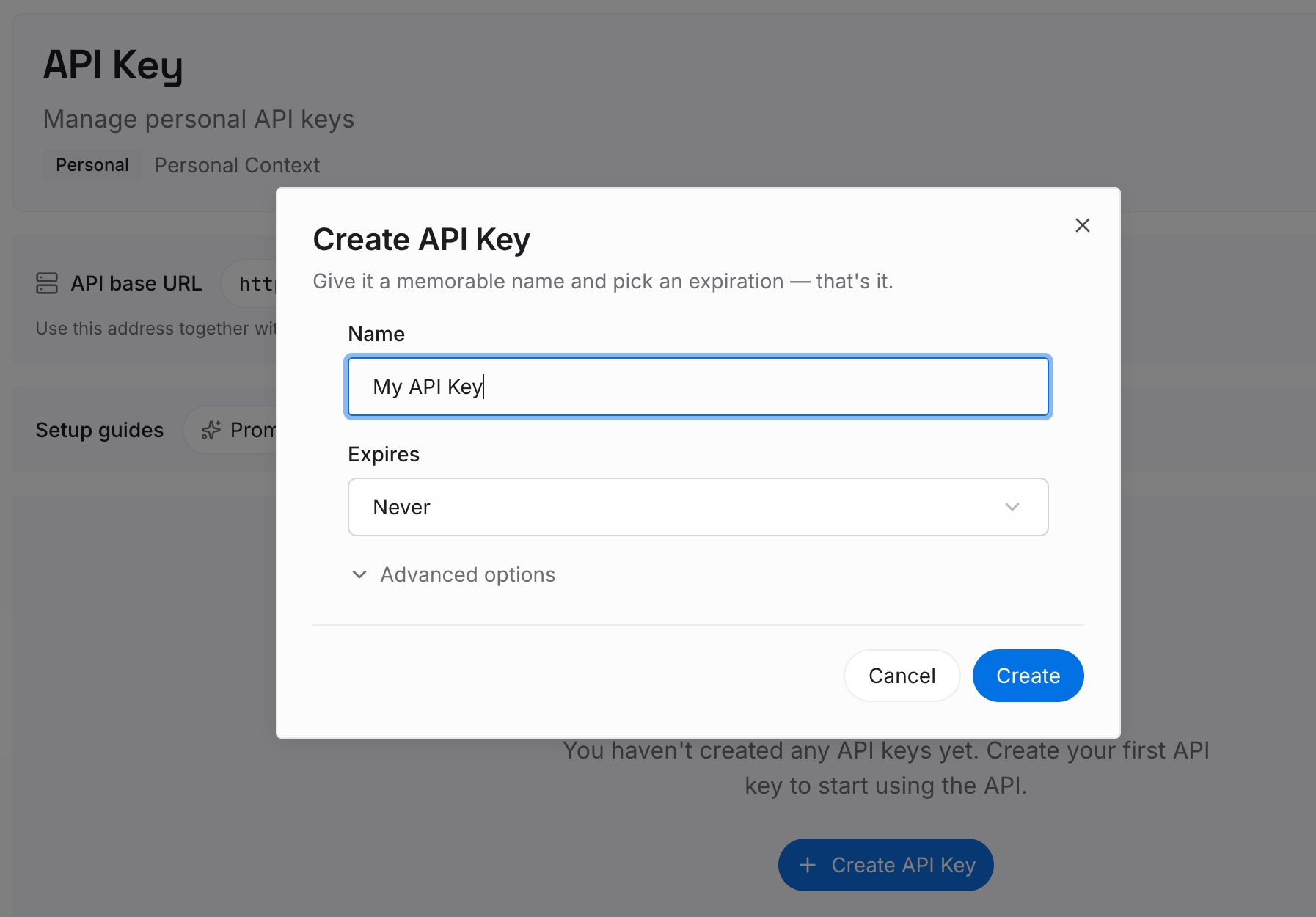
Step 1: Create an API key
Sign in and generate a key from the dashboard. The key belongs to your MemoryLake workspace and is separate from your Claude account.
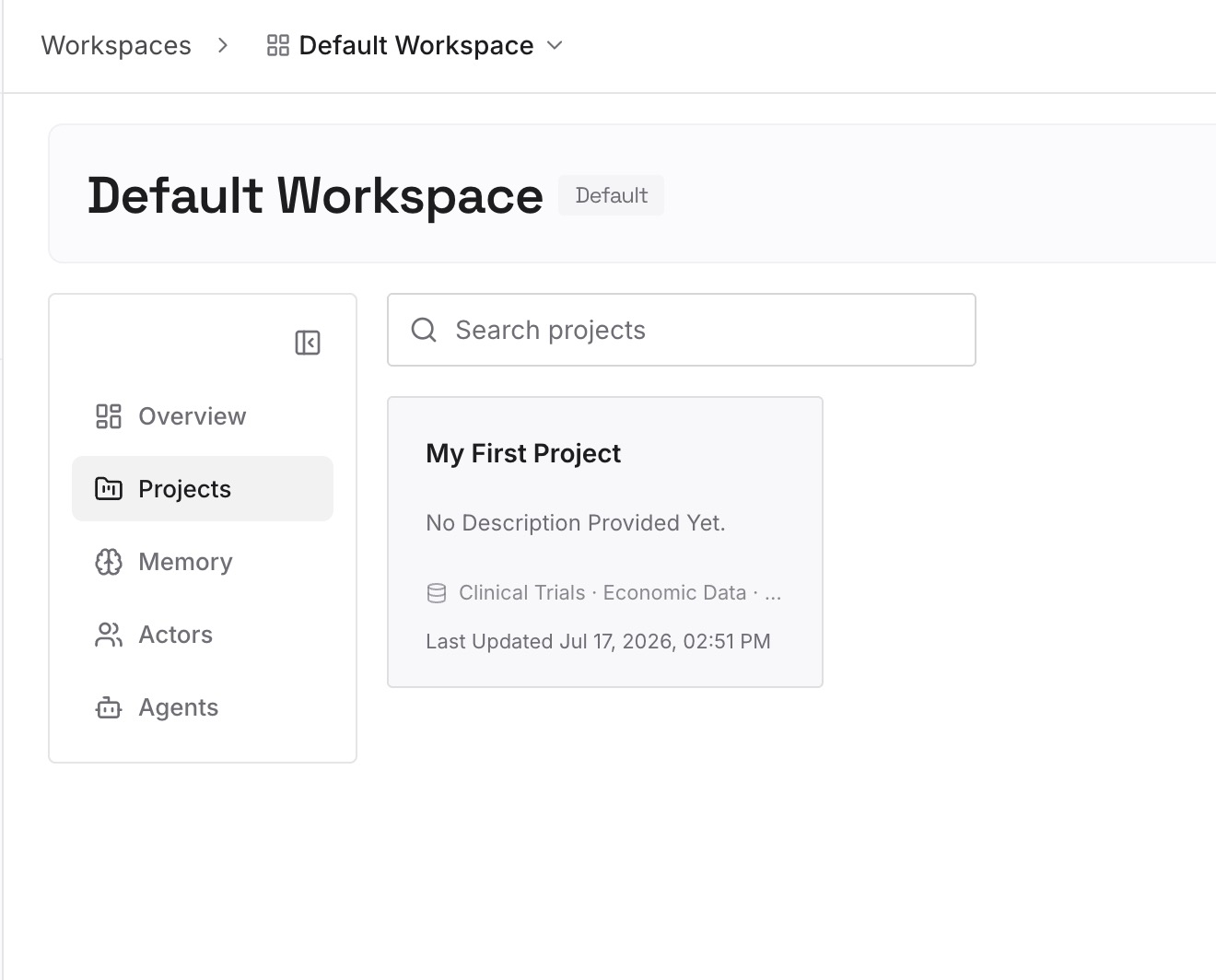
Step 2: Upload your first memories
Start with what you moved out of session reports in Step 3 of the fix: decisions, constraints, and findings that more than one session needed. One point per entry, dated, and labeled with the repository.
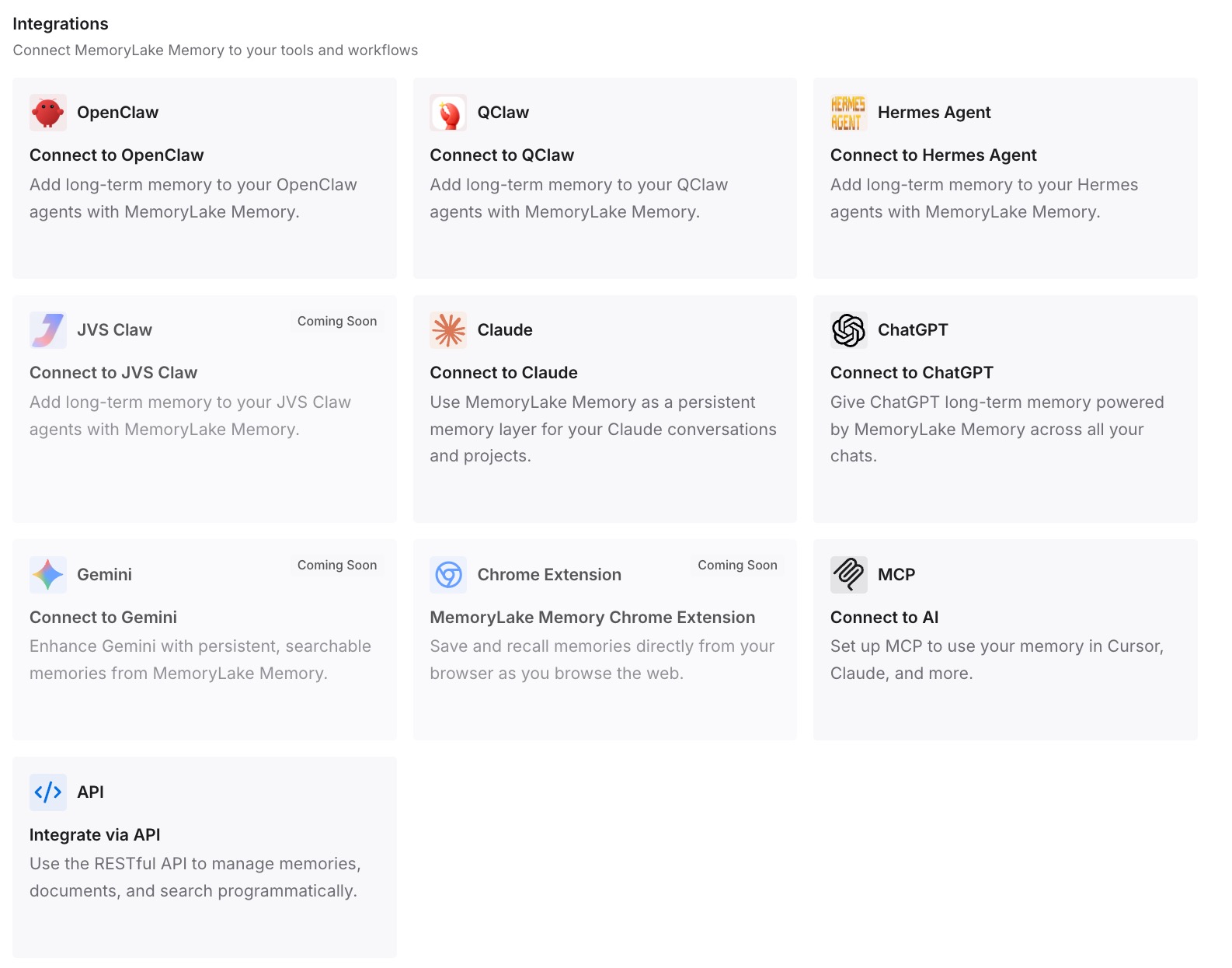
Step 3: Connect your AI & agents
Connect Claude Code and the other assistants you use. Every session can start from the same decisions, wherever it runs.
What this changes in practice
The first difference is that parallel sessions stop surprising you. You know they share files and memory on disk, not conversations.
The second is that their edits don't collide. Each dispatched session writes in its own worktree, starting from the default branch unless you change it.
The third is that nothing useful disappears with a row. Work is committed, findings are written down, and the transcript is still there to resume. If you switch computers, our guide to Claude Code on another machine covers what auto memory doesn't carry.
Best practices for agent view
Treat each row as its own conversation. Give it what it needs in the prompt and on disk.
Keep shared rules in CLAUDE.md or unscoped rules. Every session reads them.
Commit instruction changes before dispatching. Worktrees start from the committed version by default.
Use .worktreeinclude for local files. Gitignored files aren't in a fresh worktree.
Ask for a report. The branch, the result, and what other sessions should know.
Commit before deleting a row. Agent view removes the worktree Claude created.
Remember sessions are local. They stop if the machine shuts down.
Conclusion
Agent view is one screen for many background Claude Code sessions. Each row is a full, separate conversation that starts in your working directory with your project's CLAUDE.md, rules, and shared auto memory, then moves into its own worktree before it edits files. Sessions share what's on disk, not what was said in each conversation, and a fork is independent once it's made.
Put the context all sessions need in CLAUDE.md, rules, or memory, commit it before you dispatch, ask each session to report what it learned, and commit before you delete a row.